Messaging Terms
The short version
AwakeMinder Alerts is a text message program that tells you when a caregiver on an overnight shift has failed to confirm they are awake. It is off by default, and only reaches people who have turned it on themselves in their own account. Message frequency varies. Message and data rates may apply. Reply STOP to end, HELP for help.
1. What this program is
AwakeMinder, operated by NightVigil LLC, prompts caregivers working overnight shifts to confirm they are awake. When a caregiver does not answer a prompt within the response window, AwakeMinder notifies the people that caregiver's organization has listed as escalation contacts — a supervisor, an on-call manager, or a family member of the person receiving care.
These are alert messages, not marketing. We never send promotional text messages, and we never text anyone who has not turned alert texts on in their own account.
2. Who receives messages
Text messages go to one group only: people who hold an AwakeMinder account and have themselves turned on alert texts for the number on that account.
Escalation contacts are members of the organization that lists them, so the person we text is someone who signed in, entered their own mobile number, and ticked the consent box described below. An organization adding you to an escalation path does not, by itself, cause you to receive text messages — and there is no way for it to consent on your behalf. Until you turn alert texts on yourself, your organization reaches you on the other channels it has configured: an automated voice call, an email, or a push notification. None of those are part of this program.
3. How you opt in
Alert texts are off for every account until the account holder turns them on. You do that in Settings in the AwakeMinder web app, or when first setting up your account, by entering your mobile number and ticking a box that is unchecked by default:
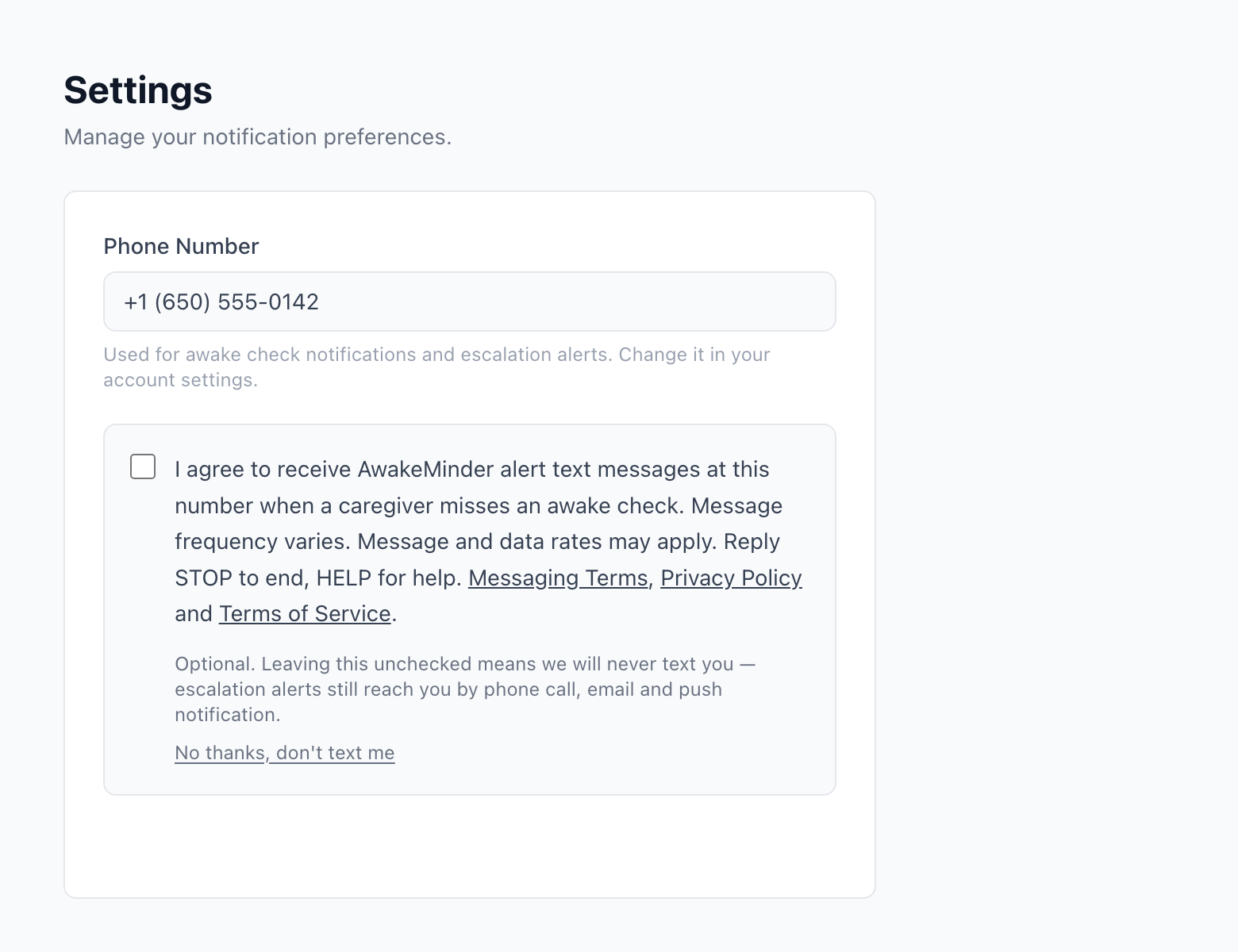
The box reads, in full:
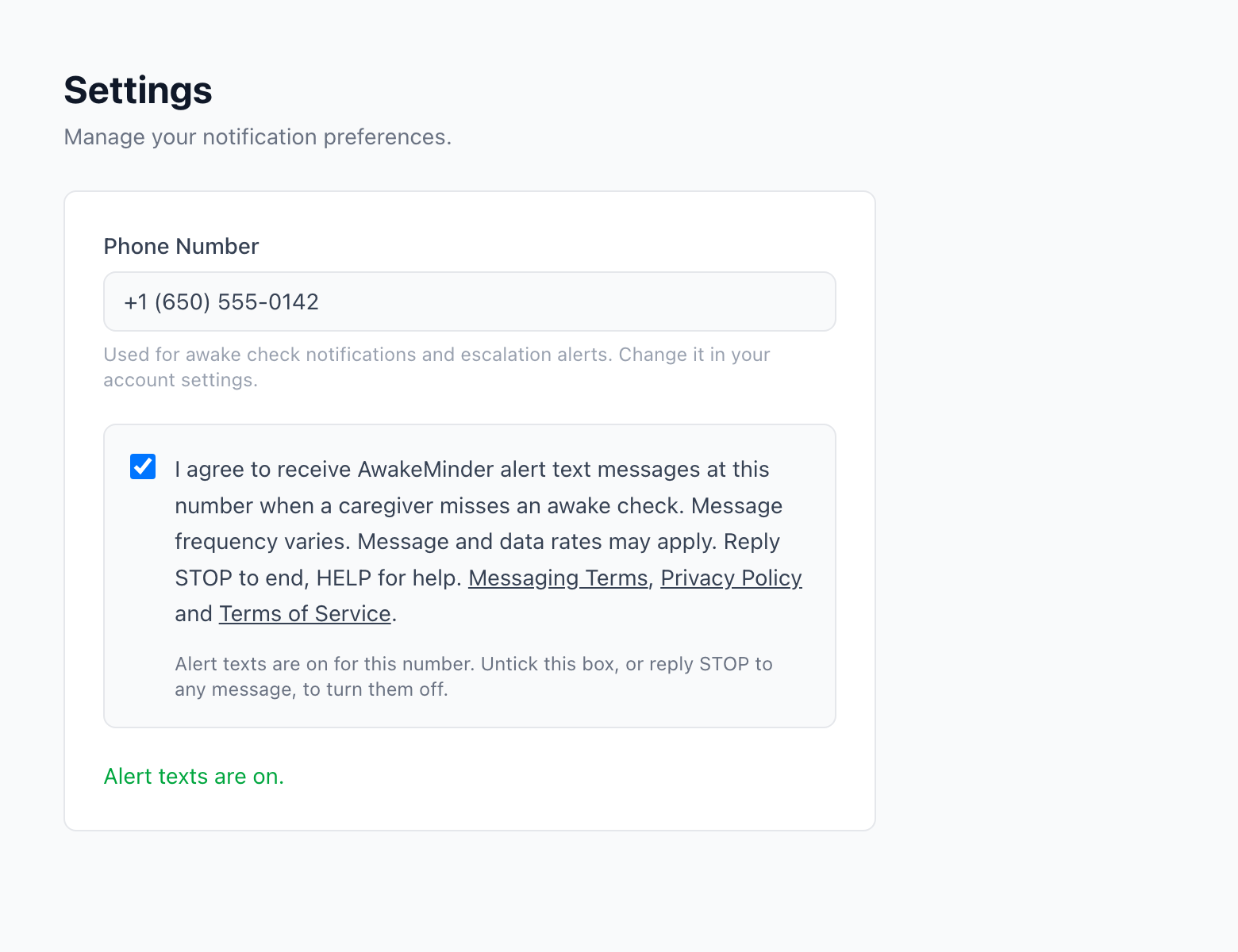
Ticking it and saving records the consent against that account, with the date and time it was given. That record is what we hold as evidence of the opt-in.
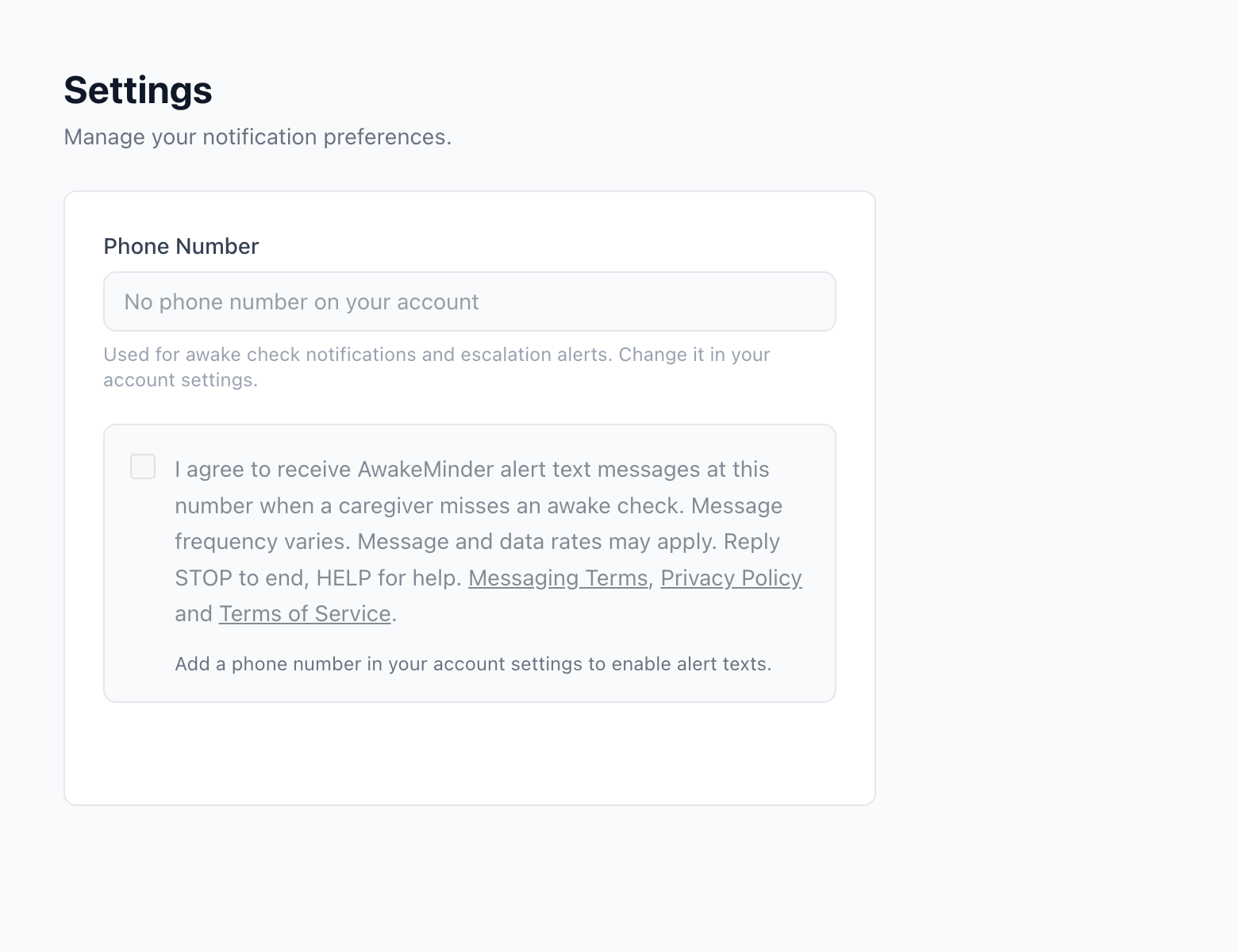
The box cannot be ticked before a mobile number has been entered, because consent is consent to text one particular number:
4. What the messages look like
A representative alert, exactly as it is sent:
And one where the caregiver or the schedule could not be named:
Alerts carry no link. Every page in AwakeMinder needs an account, and a link that dead-ends on a sign-in screen at 3am is worse than no link at all.
5. Message frequency
Message frequency varies. Alerts are sent only when a caregiver misses a check, so a quiet month produces no messages at all. A contact at the first escalation level of a busy organization might receive several in a week. There is no scheduled or recurring send.
6. Cost
Message and data rates may apply. AwakeMinder does not charge you for text messages; your mobile carrier's standard rates for messages and data apply as normal. Carriers are not liable for delayed or undelivered messages.
7. How to stop messages
Reply STOP to any message. We will send one final confirmation that you have been unsubscribed, and then no further text messages will be sent to that number. You may also reply UNSUBSCRIBE, END, CANCEL, QUIT or UNSUB.
You may turn alert texts back on at any time by ticking the box again in your account settings.
8. How to get help
Reply HELP to any message and we will reply with the program name and how to reach us. You can also contact us directly at any time:
NightVigil LLC
Support: support@awakeminder.com
9. Carriers and delivery
Text messages travel over mobile networks we do not operate, and can be delayed, filtered or lost — including when a phone is off, silenced, out of signal or out of battery. AwakeMinder is a monitoring aid and must never be relied on as the only means of raising an alarm. In an emergency, call your local emergency number. See section 3 of the Terms of Service.
10. Privacy
We use your mobile number for this program and for nothing else. No mobile information will be shared with third parties or affiliates for marketing or promotional purposes. Text messaging originator opt-in data and consent will not be shared with any third parties. We share your number only with the messaging provider that delivers the alert on our behalf. The full detail is in our Privacy Policy.
11. Changes
If we change these terms we will update the date at the top of this page. Material changes to how the program works will be notified to enrolled contacts before they take effect.